

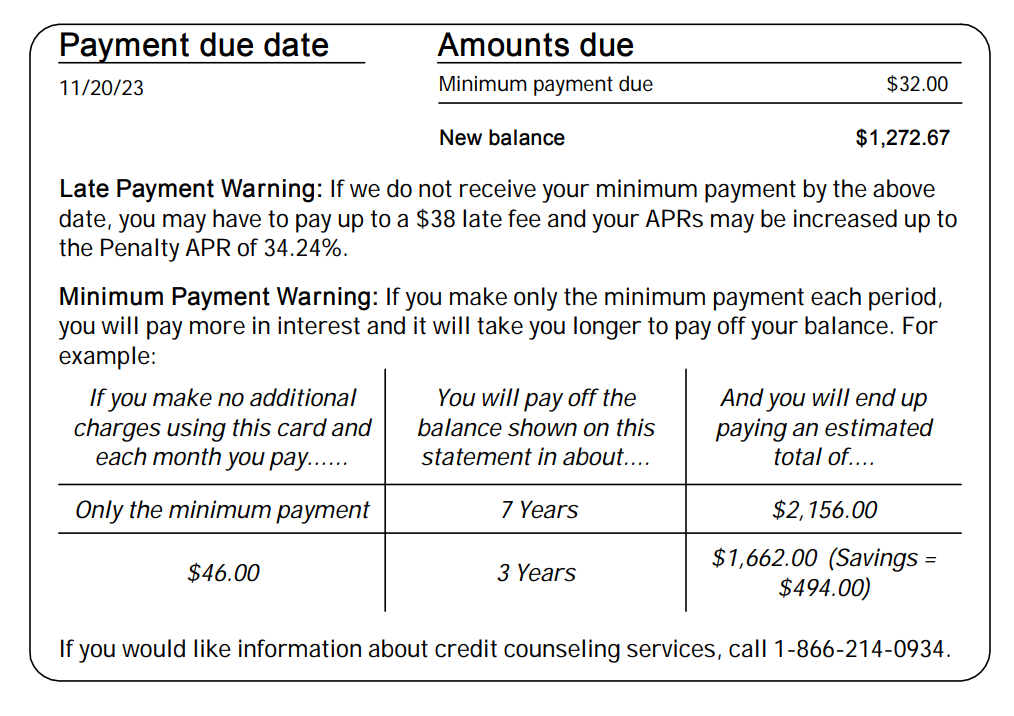
On busy days, it can be difficult to analyze the entire transaction and prepare for payment at once. You can first verify the billing month, confirmed amount, date, and account required for this payment, and then proceed with a detailed check. Identify the necessary information first, but do not confuse this with the completion of the transaction review.
Use two-step checks
Leave Payment Preparation and Transaction Review as separate checkboxes. Complete only the first step once the four items required for preparation are verified. Then, review the individual transactions and adjustment items to complete the second step.
Check by switching back and forth between the statement totals and individual details.
First, check the billing month, total amount, due date, and linked account, then proceed to individual transactions. Separating lump-sum and installment payments, as well as fees and adjustments, makes it easier to identify the reasons for discrepancies in the total. Do not assume that an item is billed this month based solely on the date of use; instead, compare the details with those actually reflected on the statement. Also, manage records of cancellation requests and records of cancellations reflected on the statement separately.
If there are any unfamiliar items, check the usage date, amount, and order history, and prepare the information to inquire with the credit card company's official service center. Do not assume the actual place of purchase based solely on the merchant information on the statement. Record the question, answer, and the date for the next inquiry in the consultation log. Marking the relevant entry separately until it is resolved can reduce the need to check the same questions from the beginning again the following month.
A record of days when time was short
If you have not yet viewed the details, specify the next verification date. Do not mark all transactions as correct simply because the total amount has been verified. If an unknown item is found, link it to the official inquiry record to manage the processing status.
Two stages: payment preparation and detailed inspection
Even on days when time is tight, you can distinguish and record which parts have been checked. If only the first step is completed, the transaction review is marked as pending. The structure below is not intended to skip inspections, but rather to ensure that the remaining verification is clearly continued.
| step | Required items | Status display |
|---|---|---|
| preparation | Amount, Date, Account | Check readiness |
| examine | Individual Transactions and Adjustments | Review Complete or Inquiry |
| result | Actual payment | Processing confirmation |
Checklist to check yourself
- Final claim amount
- Payment date
- account
- Detailed review scheduled
- Step-by-step completion
Frequently Asked Questions
Can I just prepare the payment first?
You must distinguish between prioritizing the required amount and date and reviewing the entire transaction history. If a detailed check is to be performed later, set a specific date for verification. Mark the two statuses separately to prevent ""Ready"" from being mistaken for ""Transaction Review Complete.""
When looking further into this topic 명세서에서 확인할 납부 정보 You may also refer to the following. Read the content based on the questions summarized above, and record the actual amounts or applicable conditions by comparing them with the original data of the relevant transaction. The linked page is in Korean.